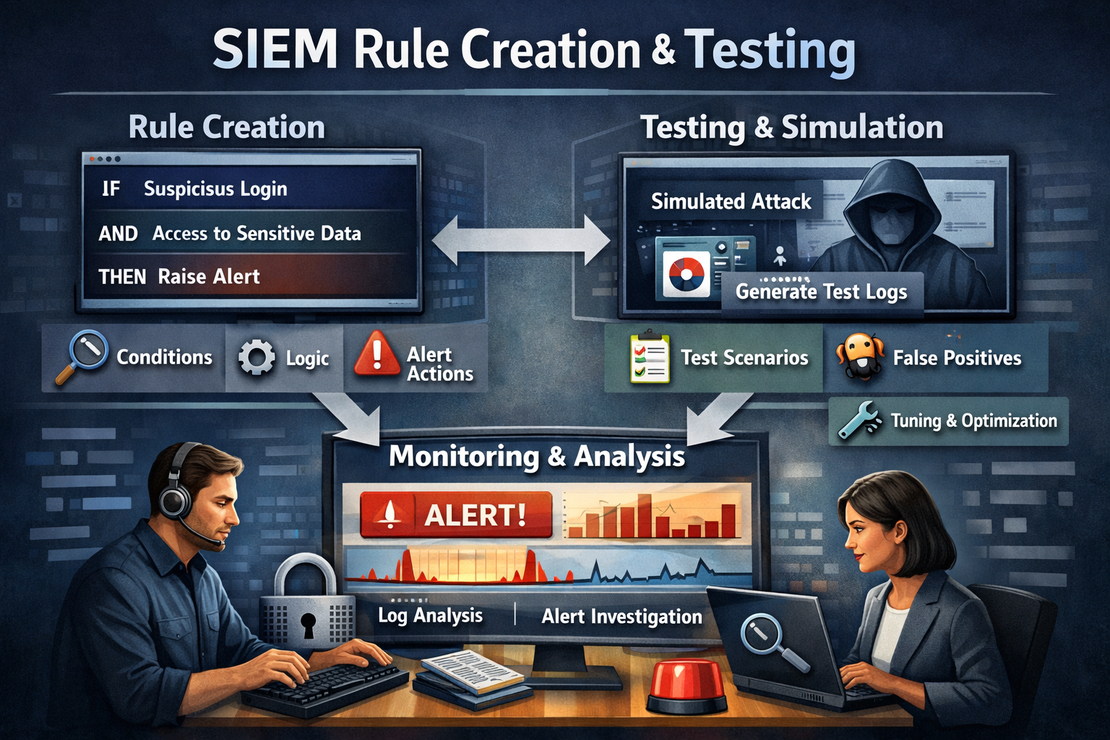
SIEM Rule Creation and Testing
- Jean-Christophe Miler
- Soc , Cybersecurity
- February 12, 2026
Table of Contents
Overview
Develop and test SIEM detection rules to enhance SOC monitoring capabilities and improve threat detection across multiple attack vectors.
Learning Objectives
- Master SIEM rule development concepts
- Create effective detection rules for common attack patterns
- Test and validate rule accuracy
- Optimize rules for performance and minimal false positives
- Document rule logic and tuning procedures
Project Structure
siem-rule-creation/
├── siem-platforms/
│   ├── splunk/
│   ├── elk-stack/
│   ├── microsoft-sentinel/
│   └── graylog/
├── detection-rules/
│   ├── authentication/
│   ├── malware/
│   ├── lateral-movement/
│   ├── data-exfiltration/
│   └── privilege-escalation/
├── test-data/
│   ├── benign-traffic/
│   ├── attack-simulations/
│   └── red-team-exercises/
├── scripts/
│   ├── rule-validator.py
│   ├── test-case-generator.py
│   └── performance-analyzer.py
├── documentation/
│   ├── rule-development-guide.md
│   ├── tuning-procedures.md
│   └── testing-framework.md
├── reports/
│   └── rule-evaluation-template.md
└── README.md
SIEM Platform Support
Splunk (SPL)
- Query syntax development
- Lookup tables integration
- Correlation searches
- Risk scoring framework
Elastic (EQL/DSL)
- Event query language
- Aggregation pipelines
- Timeline analysis
- Machine learning integration
Microsoft Sentinel (KQL)
- Kusto query language
- Fusion detection rules
- Watchlist integration
- Custom analytics rules
Graylog
- Processing pipeline rules
- Aggregation queries
- Alerting configurations
- Stream management
Detection Rule Categories
1. Authentication-Based Detections
- Brute force attacks
- Impossible travel time
- Unusual authentication patterns
- Credential dumping
2. Malware Detection Rules
- Suspicious process execution
- File modifications
- Registry changes
- Network beaconing
3. Lateral Movement Detection
- SMB/RPC exploitation
- Remote service creation
- Pass-the-hash attacks
- WMI abuse
4. Data Exfiltration
- Large file transfers
- Unusual access patterns
- Cloud storage usage
- Email data loss
Sample Detection Rules
Splunk Rule: Brute Force Attack Detection
index=wineventlog sourcetype="WinEventLog:Security" EventCode=4625
| bucket _time span=5m
| stats count by _time, Account_Name, Workstation_Name, IpAddress
| where count > 10
| eval risk_score=case(count > 50, "High", count > 25, "Medium", count > 10, "Low")
| rename Account_Name as user, Workstation_Name as source_host, IpAddress as source_ip
| table _time, user, source_host, source_ip, count, risk_score
| eval description="Multiple failed login attempts detected for user " + user + " from " + source_ip
Elastic Rule: PowerShell Malicious Activity
{
  "rule_id": "powershell_malicious_execution",
  "name": "Suspicious PowerShell Execution Detected",
  "description": "Detects potentially malicious PowerShell command execution",
  "index": ["winlogbeat-*"],
  "type": "query",
  "query": {
    "bool": {
      "must": [
        {"term": {"event.code": "4104"}},
        {"bool": {
          "should": [
            {"wildcard": {"powershell.command_line.text": "*-enc*"}},
            {"wildcard": {"powershell.command_line.text": "*-nop*"}},
            {"wildcard": {"powershell.command_line.text": "*-w hidden*"}},
            {"wildcard": {"powershell.command_line.text": "*bypass*"}}
          ]
        }}
      ]
    }
  },
  "risk_score": 70,
  "severity": "high",
  "tags": ["powershell", "malware", "defense_evasion"],
  "actions": [
    {
      "type": "webhook",
      "url": "https://your-soc-webhook.com/alert"
    }
  ]
}
KQL Rule: Unusual Data Exfiltration
// Microsoft Sentinel KQL Detection Rule
let DataTransferThreshold = 100000000; // 100MB
let TimeWindow = 1h;
let HighVolumeTransfers =
OfficeActivity
| where TimeGenerated >= ago(TimeWindow)
| where Operation in ("FileUploaded", "FileDownloaded")
| extend FileSize = toreal(coalesce(tonumber(CoalescedFileSize), 0))
| where FileSize > DataTransferThreshold
| summarize TotalBytes = sum(FileSize), FileCount = count() by TimeGenerated, UserId, Operation, OfficeWorkload
| where TotalBytes > DataTransferThreshold * 2 // Multiple large files
| extend AlertDetails = strcat("User ", UserId, " transferred ", FileCount, " files totaling ", TotalBytes, " bytes in ", OfficeWorkload)
| project TimeGenerated, AlertDetails, UserId, TotalBytes, FileCount, OfficeWorkload
| order by TimeGenerated desc;
HighVolumeTransfers
Rule Development Framework
1. Threat Modeling
import yaml
from datetime import datetime

class ThreatModel:
    def __init__(self, tactic, technique, sub_technique):
        self.tactic = tactic
        self.technique = technique
        self.sub_technique = sub_technique
        self.data_sources = []
        self.detection_logic = []
        self.false_positive_mitigation = []

    def add_data_source(self, source):
        """Add required data source for detection"""
        self.data_sources.append(source)

    def add_detection_logic(self, logic):
        """Add detection logic step"""
        self.detection_logic.append(logic)

    def add_fp_mitigation(self, mitigation):
        """Add false positive mitigation strategy"""
        self.false_positive_mitigation.append(mitigation)

    def generate_rule(self, platform="splunk"):
        """Generate rule for specified SIEM platform"""
        rule = {
            'name': f"{self.technique} Detection",
            'description': f"Detects {self.technique} technique ({self.tactic})",
            'tactic': self.tactic,
            'technique': self.technique,
            'created': datetime.now().isoformat(),
            'data_sources': self.data_sources,
            'logic': self.detection_logic,
            'fp_mitigation': self.false_positive_mitigation
        }

        if platform == "splunk":
            return self._generate_splunk_rule(rule)
        elif platform == "elastic":
            return self._generate_elastic_rule(rule)
        elif platform == "kql":
            return self._generate_kql_rule(rule)

        return rule
2. Rule Testing Framework
import unittest
import json
from datetime import datetime, timedelta

class RuleTester:
    def __init__(self, rule, test_cases):
        self.rule = rule
        self.test_cases = test_cases
        self.results = []

    def run_test_case(self, test_case):
        """Run individual test case against rule"""
        if self.rule['platform'] == 'splunk':
            return self._test_splunk_rule(test_case)
        elif self.rule['platform'] == 'elastic':
            return self._test_elastic_rule(test_case)
        elif self.rule['platform'] == 'kql':
            return self._test_kql_rule(test_case)

    def generate_test_data(self, scenario):
        """Generate test data for specific attack scenario"""
        base_event = {
            'timestamp': datetime.now().isoformat(),
            'source': 'test_data'
        }

        if scenario == 'brute_force':
            return self._generate_brute_force_data(base_event)
        elif scenario == 'malware_execution':
            return self._generate_malware_data(base_event)
        elif scenario == 'data_exfiltration':
            return self._generate_exfiltration_data(base_event)

        return [base_event]

    def _generate_brute_force_data(self, base_event):
        """Generate brute force attack test data"""
        events = []
        for i in range(15):
            event = base_event.copy()
            event.update({
                'event_code': '4625',
                'account_name': 'administrator',
                'ip_address': '192.168.1.100',
                'timestamp': (datetime.now() + timedelta(seconds=i*30)).isoformat()
            })
            events.append(event)
        return events

    def validate_rule_accuracy(self):
        """Validate rule accuracy metrics"""
        true_positives = 0
        false_positives = 0
        true_negatives = 0
        false_negatives = 0

        for test_case in self.test_cases:
            result = self.run_test_case(test_case)

            if test_case['expected'] and result['alert_triggered']:
                true_positives += 1
            elif not test_case['expected'] and result['alert_triggered']:
                false_positives += 1
            elif not test_case['expected'] and not result['alert_triggered']:
                true_negatives += 1
            elif test_case['expected'] and not result['alert_triggered']:
                false_negatives += 1

        precision = true_positives / (true_positives + false_positives) if (true_positives + false_positives) > 0 else 0
        recall = true_positives / (true_positives + false_negatives) if (true_positives + false_negatives) > 0 else 0

        return {
            'precision': precision,
            'recall': recall,
            'accuracy': (true_positives + true_negatives) / len(self.test_cases),
            'false_positive_rate': false_positives / len(self.test_cases),
            'false_negative_rate': false_negatives / len(self.test_cases)
        }
Advanced Rule Examples
Multi-Stage Attack Detection
index=wineventlog (EventCode=4625 OR EventCode=4624 OR EventCode=4688)
| streamstats current=f window=5 last(EventCode) as prev_event by src_ip
| eval attack_stage=case(
    EventCode=4625 and prev_event=4625, "brute_force_in_progress",
    EventCode=4624 and prev_event=4625, "potential_compromise",
    EventCode=4688 and prev_event=4624, "post_compromise_activity"
)
| where isnotnull(attack_stage)
| transaction src_ip maxpause=5m
| where eventcount >= 10
| eval risk_score=case(attack_stage="post_compromise_activity", 90, attack_stage="potential_compromise", 70, 60)
Machine Learning Anomaly Detection
from sklearn.ensemble import IsolationForest
import pandas as pd

class AnomalyDetector:
    def __init__(self):
        self.model = IsolationForest(contamination=0.1, random_state=42)
        self.is_trained = False

    def train(self, normal_data):
        """Train model on normal behavior data"""
        features = self._extract_features(normal_data)
        self.model.fit(features)
        self.is_trained = True

    def detect_anomalies(self, new_data):
        """Detect anomalies in new data"""
        if not self.is_trained:
            raise ValueError("Model must be trained first")

        features = self._extract_features(new_data)
        predictions = self.model.predict(features)
        return [p == -1 for p in predictions]  # -1 indicates anomaly

    def _extract_features(self, data):
        """Extract features for ML model"""
        feature_df = pd.DataFrame()

        # Logon frequency
        feature_df['logon_frequency'] = data.groupby('user')['timestamp'].transform('count')

        # Time-based features
        feature_df['hour_of_day'] = pd.to_datetime(data['timestamp']).dt.hour
        feature_df['day_of_week'] = pd.to_datetime(data['timestamp']).dt.dayofweek

        # Network features
        feature_df['unique_ips'] = data.groupby('user')['src_ip'].transform('nunique')

        return feature_df
Rule Testing Scenarios
1. Authentication Attacks
- Brute force simulation
- Credential stuffing
- Pass-the-hash attacks
- Golden ticket attacks
2. Malware Execution
- PowerShell obfuscation
- Process injection
- Living-off-the-land techniques
- Fileless malware
3. Lateral Movement
- SMB exploitation
- Remote service creation
- WMI persistence
- Scheduled task abuse
4. Data Exfiltration
- Large file transfers
- DNS tunneling
- HTTPS covert channels
- Cloud data exfiltration
Performance Optimization
Rule Efficiency Guidelines
rule_optimization:
  time_filters:
    - "Always apply time bounds first"
    - "Use earliest/latest in Splunk"
    - "Limit search windows to necessary period"

  index_selection:
    - "Specify most specific index"
    - "Avoid searching all indexes"
    - "Use source type restrictions"

  field_selection:
    - "Extract only required fields"
    - "Use wildcards sparingly"
    - "Optimize regex patterns"

  aggregation:
    - "Use appropriate time windows"
    - "Limit group-by fields"
    - "Optimize streamstats usage"
Expected Deliverables
- Complete detection rule set for each attack category
- Rule testing and validation reports
- Performance optimization recommendations
- Documentation for rule maintenance
- Blog post covering rule development process
Extension Ideas
- Automated rule tuning with ML
- Integration with MITRE ATT&CK framework
- Real-time rule performance monitoring
- Custom dashboard for rule effectiveness
Resources
Best Practices
- Start with high-fidelity, low-noise rules
- Document rule logic and assumptions
- Regularly review and tune based on performance
- Incorporate threat intelligence feeds
- Test against both attack and benign traffic