Yazi: The Blazing Fast Terminal File Manager
- Jean-Christophe Miler
- Open source , Software , Terminal tools , Linux
- March 24, 2026
Table of Contents
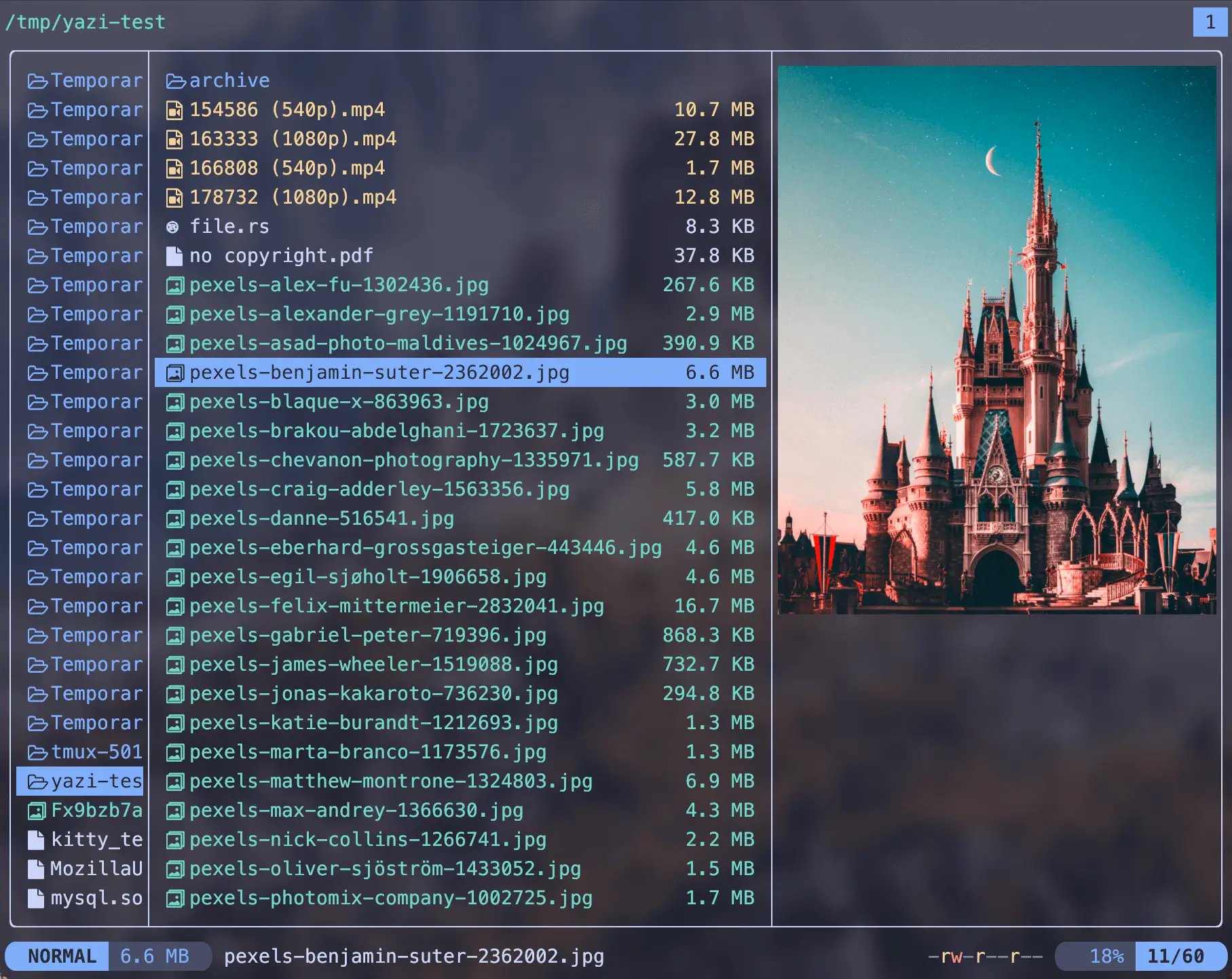
Yazi (meaning “duck” in Chinese) is a modern terminal file manager written in Rust, leveraging the power of non-blocking asynchronous I/O. With over 35,000 stars on GitHub, it has quickly become one of the most popular file managers for developers and power users who spend their time in the terminal.
Why Yazi Stands Out
Yazi is not just another file manager—it is designed from the ground up to be incredibly fast and efficient. Every I/O operation is asynchronous, meaning that CPU tasks are spread across multiple threads, making the most of your system’s available resources. This results in a silky-smooth experience even when managing thousands of files or working with network drives.
- Full Asynchronous Support All operations are non-blocking, ensuring the interface never freezes
- Powerful Task Scheduling Real-time progress updates, task cancellation, and priority assignment
- Built-in Image Support Preview images directly in your terminal with support for multiple protocols
- Code Highlighting Automatic syntax highlighting for code files with pre-caching for faster loading
- Plugin System Extend functionality with Lua plugins—UI rewrites, custom previewers, and more
Key Features
- Virtual Filesystem Manage remote files and custom search engines seamlessly
- Data Distribution Service Client-server architecture with Lua-based publish-subscribe for cross-instance communication
- Package Manager Install plugins and themes with a single command
- Vim-like Controls Input, pick, confirm, which, and notify components with auto-completion
- Multi-Tab Support Work with multiple directories simultaneously
- Git Integration Built-in Git support through plugins
- Cross-Platform Available on Linux, macOS, and Windows
Community and Support
Yazi has an active community with Discord (primarily English) and Telegram (primarily Chinese) channels. The project is in public beta and can be used as a daily driver, though it is still in heavy development with expect frequent updates.
Getting Started
Ready to try Yazi? Visit the official documentation to learn about installation options and configuration. Whether you’re a Vim user or just looking for a faster way to navigate your filesystem, Yazi offers a compelling alternative to traditional terminal file managers.
