Plumber: Open Source Compliance CLI for GitLab CI/CD
- Jean-Christophe Miler
- Dev ops , Security , Git lab
- April 4, 2026
Table of Contents
Plumber: Open Source Compliance CLI for GitLab CI/CD
Managing GitLab CI/CD pipelines at scale comes with unique challenges. How do you ensure every pipeline meets security standards? How do you maintain consistency across hundreds of projects? Plumber is the answer — an open source CLI designed to analyze and enforce compliance in your GitLab CI/CD workflows.
What is Plumber?
Plumber is a command-line tool that scans your .gitlab-ci.yml configuration files for security and compliance issues. It helps teams identify vulnerabilities, enforce best practices, and maintain audit-ready pipelines without manual reviews.
The tool checks three critical areas:
- Pipeline composition — Detects hardcoded jobs and verifies that all required templates and components are included, up to date, and follow authorized patterns (no
latest,main, or other mutable references). - CI/CD container images — Identifies container images using mutable tags that can change unexpectedly and ensures images come from trusted registries only.
- Access and authorization — Verifies that critical branches have proper protection settings in place.
Key Features
- Automated compliance checks — Run Plumber as part of your CI/CD pipeline to automatically detect issues before they reach production.
- Comprehensive controls — Beyond the three main areas, Plumber also checks runners, caches, artifacts, and many other configuration elements.
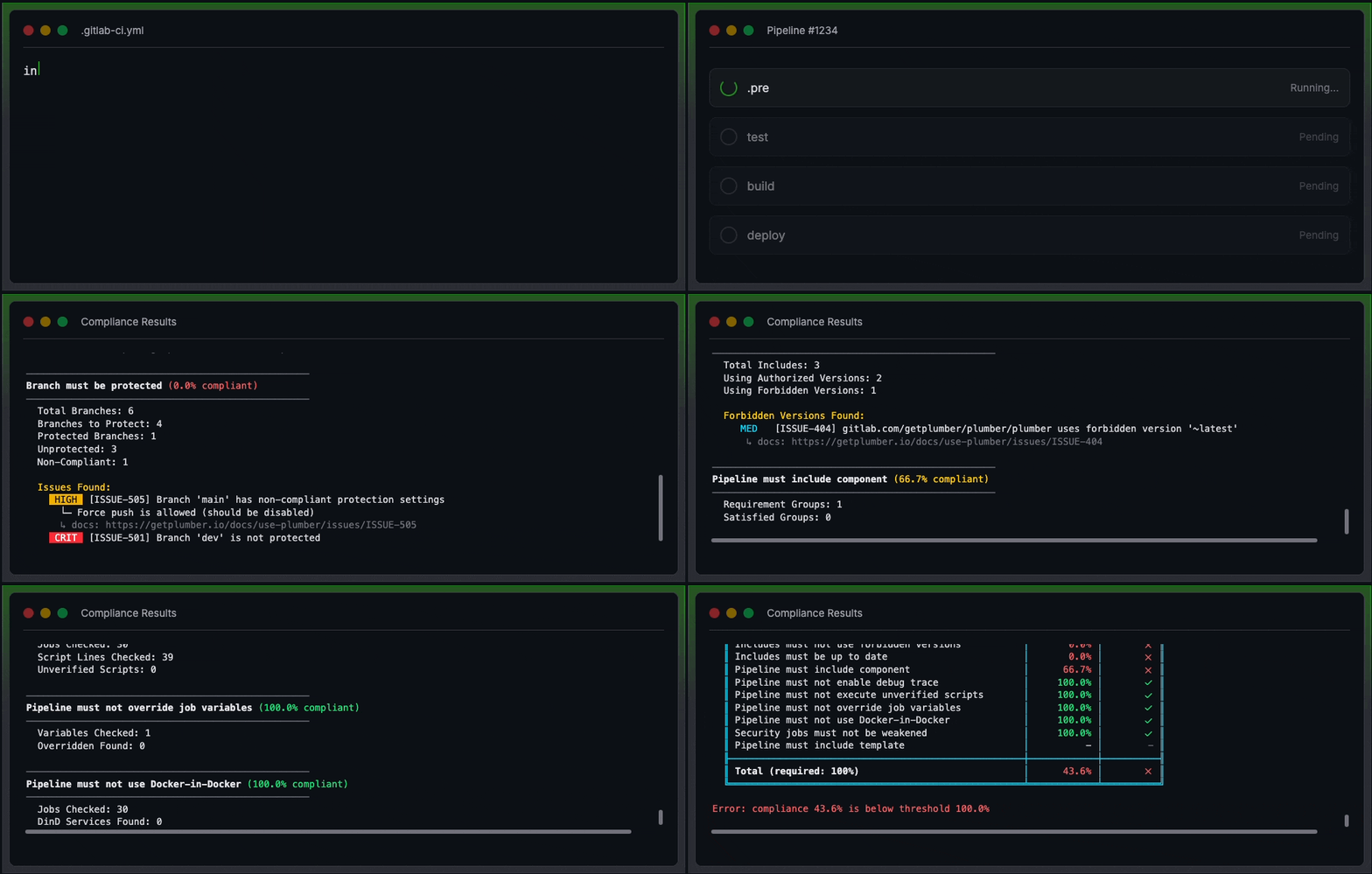
- Clear reporting — View results directly in job output or download report artifacts for audit and remediation purposes.
- Easy integration — Add the Plumber component to your pipeline and configure controls in minutes.
How It Works
Plumber scans your .gitlab-ci.yml file and compares it against policy checks. For example, it will flag:
- Components using mutable tags like
@latestor@main - Container images with unversioned tags like
node:latest - Components from untrusted registries
- Weakened security rules like
when: never
After the scan, Plumber provides a detailed report showing what needs to be fixed to achieve compliance. Each issue maps to specific issue codes documented in the controls guide.
Quick Start
Getting started with Plumber takes just a few steps:
- Add Plumber to your pipeline — Include the Plumber GitLab component in your
.gitlab-ci.yml - Configure your controls — Set your trusted registries, branch protection rules, and other policies
- Run your pipeline — Plumber executes as part of your CI workflow
- Review compliance results — Check the job output or download the compliance report
Resources
Plumber is open source, written in Go, and licensed under MPL-2.0. With 580+ stars on GitHub and an active community, it’s becoming the standard for GitLab CI/CD compliance.