NPM Visual Manager: A Visual Package Manager for VS Code
Table of Contents
Managing NPM dependencies in JavaScript projects typically requires command-line interactions, but what if you could handle everything through an intuitive visual interface? NPM Visual Manager brings a NuGet-style package manager experience directly into VS Code, allowing you to view, search, and update dependencies without ever touching the terminal.
What is NPM Visual Manager?
NPM Visual Manager is a Visual Studio Code extension developed by Luis Clement that provides a comprehensive visual interface for managing NPM dependencies. Inspired by Visual Studio’s NuGet Package Manager, this extension transforms the way developers interact with their project’s dependencies by offering a modern, user-friendly webview UI.
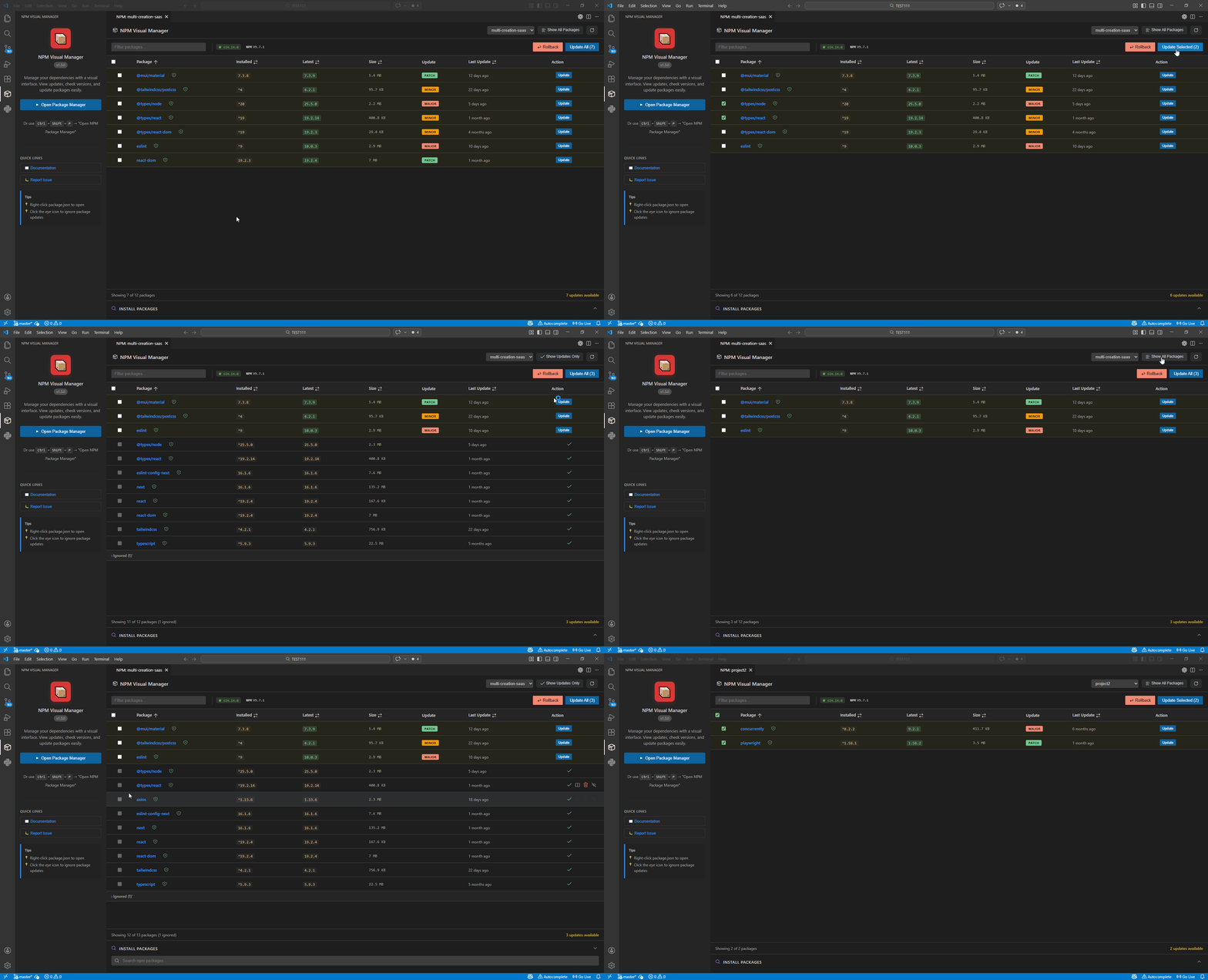
Unlike traditional terminal-based package management, NPM Visual Manager presents your dependencies in a clean, sortable table with real-time information about versions, security status, and package sizes. The extension supports all major package managers including npm, yarn, pnpm, and even the newer bun runtime.
Key Features That Set It Apart
- Visual Dependency Management: Browse all your packages in a sortable table with filtering capabilities for production, development, and peer dependencies
- Smart Search & Install: Search the NPM registry with debouncing, then install packages as regular or dev dependencies with a single click
- One-Click Updates: Update individual packages or bulk update all outdated dependencies simultaneously, with the ability to rollback versions if needed
- Security Integration: Built-in security audit support with deprecation warnings and direct links to changelogs
- Multi-Project Support: Automatically detects package.json files in monorepo setups and works seamlessly across projects
- Internationalization: Available in 8 languages including Spanish, German, French, Chinese, Japanese, Portuguese, Russian, and Korean
- Native VS Code Integration: Uses your current theme and provides customizable columns for the information you care about most
Getting Started
Ready to streamline your dependency management? Installing NPM Visual Manager is straightforward:
VS Code Marketplace Open VSX Registry
Once installed, you can open the package manager by right-clicking on any package.json file in your project explorer or by using the command palette (Ctrl+Shift+P) and typing “Open NPM Package Manager.” The extension automatically detects your package manager and starts monitoring your dependencies for updates.
Whether you’re working on a small side project or managing a complex monorepo, NPM Visual Manager provides the visual tooling you need to keep your dependencies organized, secure, and up-to-date.