
lazydocker: The lazier way to manage Docker
- Jean-Christophe Miler
- Dev ops , Tools
- March 21, 2026
Table of Contents
lazydocker: The lazier way to manage Docker
If you use Docker daily, you know how tedious it can be to remember the countless commands for managing your containers. Between docker-compose ps, docker-compose logs, docker-compose restart and the countless options, you can easily lose track. That’s exactly what lazydocker was created for.
What is lazydocker?
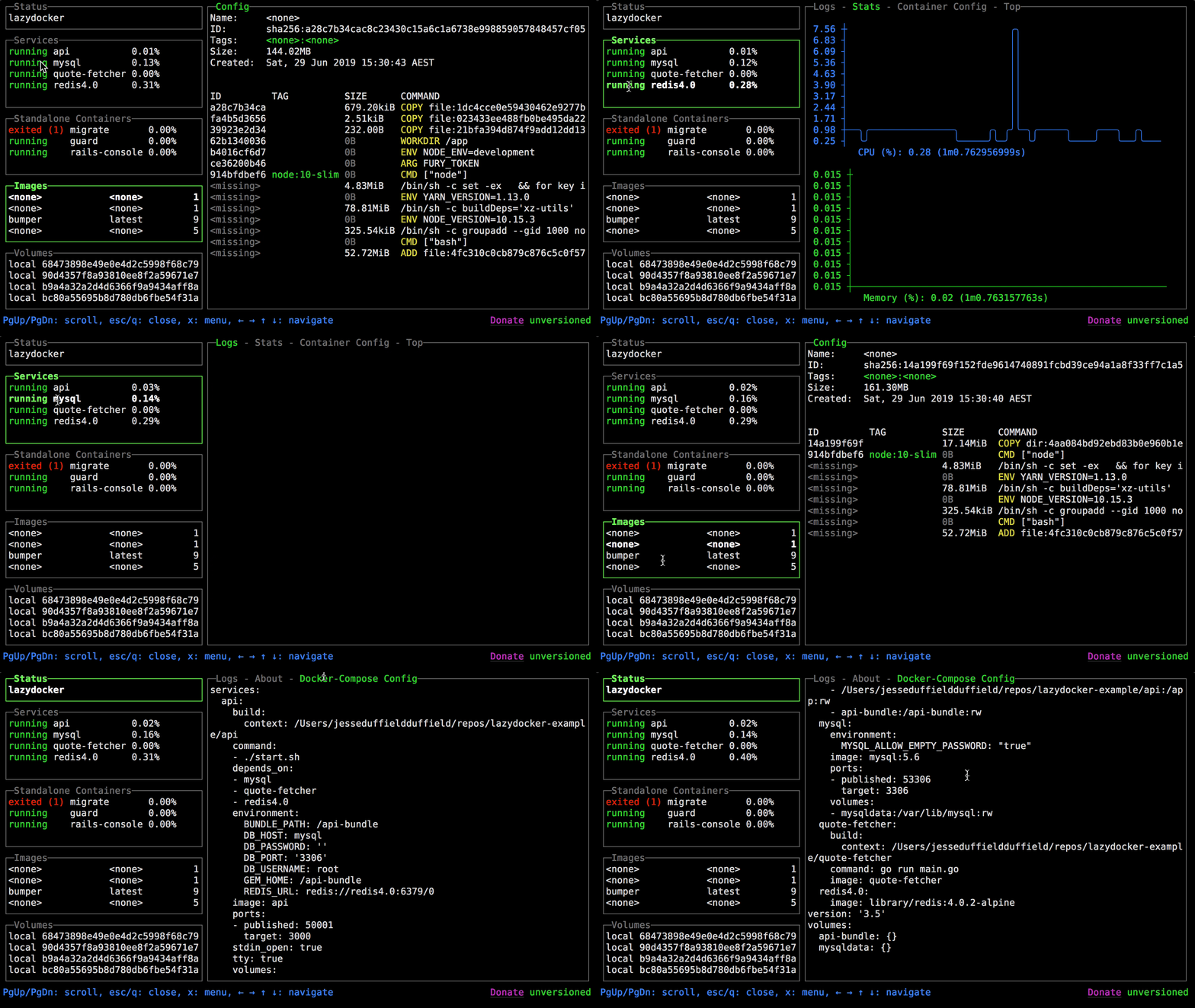
lazydocker is a terminal user interface (TUI) for Docker and Docker Compose, written in Go with the gocui library. It allows you to view and manage all your containers, services, images, and volumes in a single terminal window, with all common commands accessible with a single keypress.
With over 50,000 stars on GitHub, it has become an essential tool for developers working with Docker.
Key Features
- Overview : View the state of your Docker or Docker Compose environment at a glance
- Live logs : Display logs for a container or service in real-time
- Visual metrics : View ASCII graphs of your containers’ metrics
- Container management : Restart, remove, or rebuild your containers with a few keystrokes
- Storage management : Prune containers, images, or volumes that are taking up disk space
Installation
On macOS with Homebrew
brew install jesseduffield/lazydocker/lazydocker
On Linux
curl https://raw.githubusercontent.com/jesseduffield/lazydocker/master/scripts/install_update_linux.sh | bash
With Go
go install github.com/jesseduffield/lazydocker@latest
Other methods
lazydocker is also available via Scoop (Windows), Chocolatey (Windows), AUR (Arch Linux), and even via Docker itself.
Usage
Simply run lazydocker in your terminal. For more convenience, you can create an alias:
echo "alias lzd='lazydocker'" >> ~/.zshrc
The interface lets you navigate with keyboard keys or even with the mouse. You can view logs, see CPU/memory metrics, and perform all usual actions without leaving your terminal.
Conclusion
lazydocker is a simple yet powerful tool that significantly simplifies daily Docker management. Whether you’re a developer, DevOps, or just a hobbyist, this tool deserves a place in your toolkit.