Search and Download Files from GitHub Without Leaving Your Terminal
- Jean-Christophe Miler
- Open source , Developer tools
- March 19, 2026
Table of Contents
Grab Anything You Need from GitHub Without the Clone Wait
If you’ve ever needed just one or two files from a large GitHub repository, you know the frustration: waiting for an entire repository to clone when you only need a tiny piece of it. Enter ghgrab, a simple yet powerful terminal tool that lets you search and download files from GitHub without leaving your CLI.
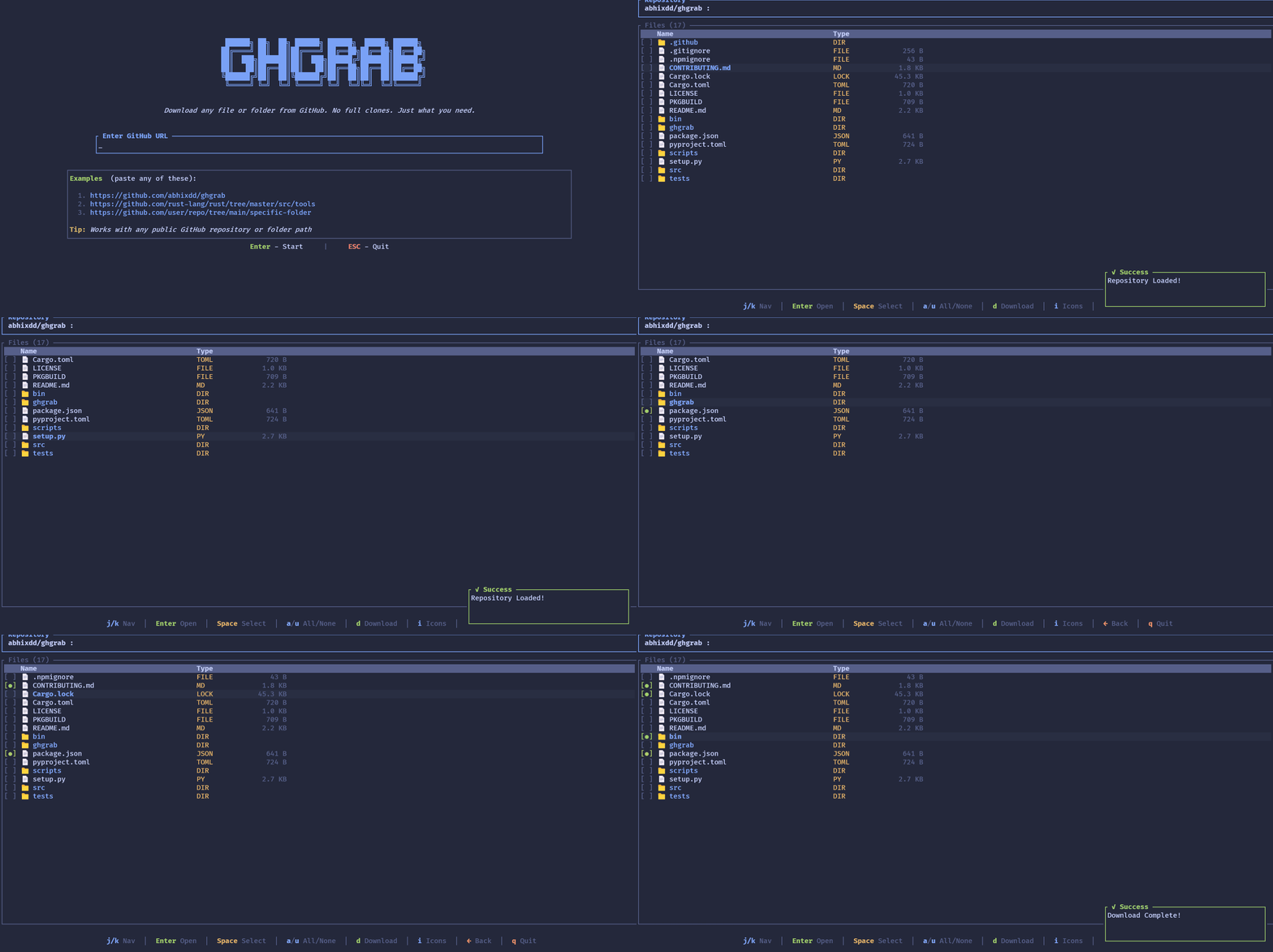
Built with Rust using the tokio and ratatui ecosystems, ghgrab offers a beautiful TUI (Text User Interface) that makes browsing repositories feel smooth and intuitive. Whether you’re grabbing configuration files, snippets, or entire folders, ghgrab gets you exactly what you need—without the bloat of a full clone.
Why ghgrab?
- No more clone-and-delete — Grab exactly what you need, when you need it
- Easy on the eyes — A clean terminal interface that makes browsing feel smooth
- Installs quickly — Available via NPM, Cargo, or pip/pipx
- Find things fast — Fuzzy search through any repo’s folders in seconds
- GitHub LFS support — Handles large files seamlessly
- Batch mode — Select multiple files or folders and download them all at once
Getting Started
ghgrab is incredibly easy to install. Choose your preferred method:
# NPM
npm install -g @ghgrab/ghgrab

# Cargo
cargo install ghgrab

# pipx (Recommended)
pipx install ghgrab
Once installed, simply run ghgrab to launch the interactive browser. You can also pass a repository URL directly:
# Browse a repository
ghgrab https://github.com/rust-lang/rust

# Download to current directory directly
ghgrab https://github.com/rust-lang/rust --cwd --no-folder
Configuration
Set up your GitHub token and custom download path:
# Set your token
ghgrab config set token YOUR_TOKEN

# Set a custom download folder
ghgrab config set path "/your/custom/path"

# View your current settings
ghgrab config list
Keyboard Shortcuts
ghgrab uses intuitive keyboard shortcuts for navigation:
- Enter / l / Right — Enter directory or submit URL
- Backspace / h / Left — Go back to previous folder
- / — Start searching
- Space — Toggle selection for batch download
- d / D — Download selected items
- a — Select all items
- u — Unselect all items
Download
Ready to streamline your GitHub workflow? Grab ghgrab today and never wait for a full clone again.