Ferdium
- Jean-Christophe Miler
- App , Open source , Linux , Windows , Macos
- December 2, 2025
Table of Contents
🚀 Reclaim Your Digital Life: Why Ferdium is the Ultimate Open-Source Hub for All Your Web Services
The modern workflow is fractured. We leap from Gmail to Slack, then to Discord, Trello, and WhatsApp—each housed in its own browser tab or desktop application. This constant context-switching isn’t just annoying; it’s a productivity killer, turning our screens into a chaotic digital sprawl.
But what if there was a centralized, intelligent home for all your communication and productivity services? Enter Ferdium.
Ferdium is an open-source, community-driven application designed to consolidate your favorite web services—be they messaging apps, project management tools, or email clients—into one sleek, efficient desktop application. It’s not just an aggregator; it’s a meticulously crafted environment built to bring focus, control, and efficiency back to your digital day.
🧩 The Unified Hub: Ending Tab Sprawl
At its core, Ferdium solves one of the biggest headaches of remote work and digital communication: tab overload.
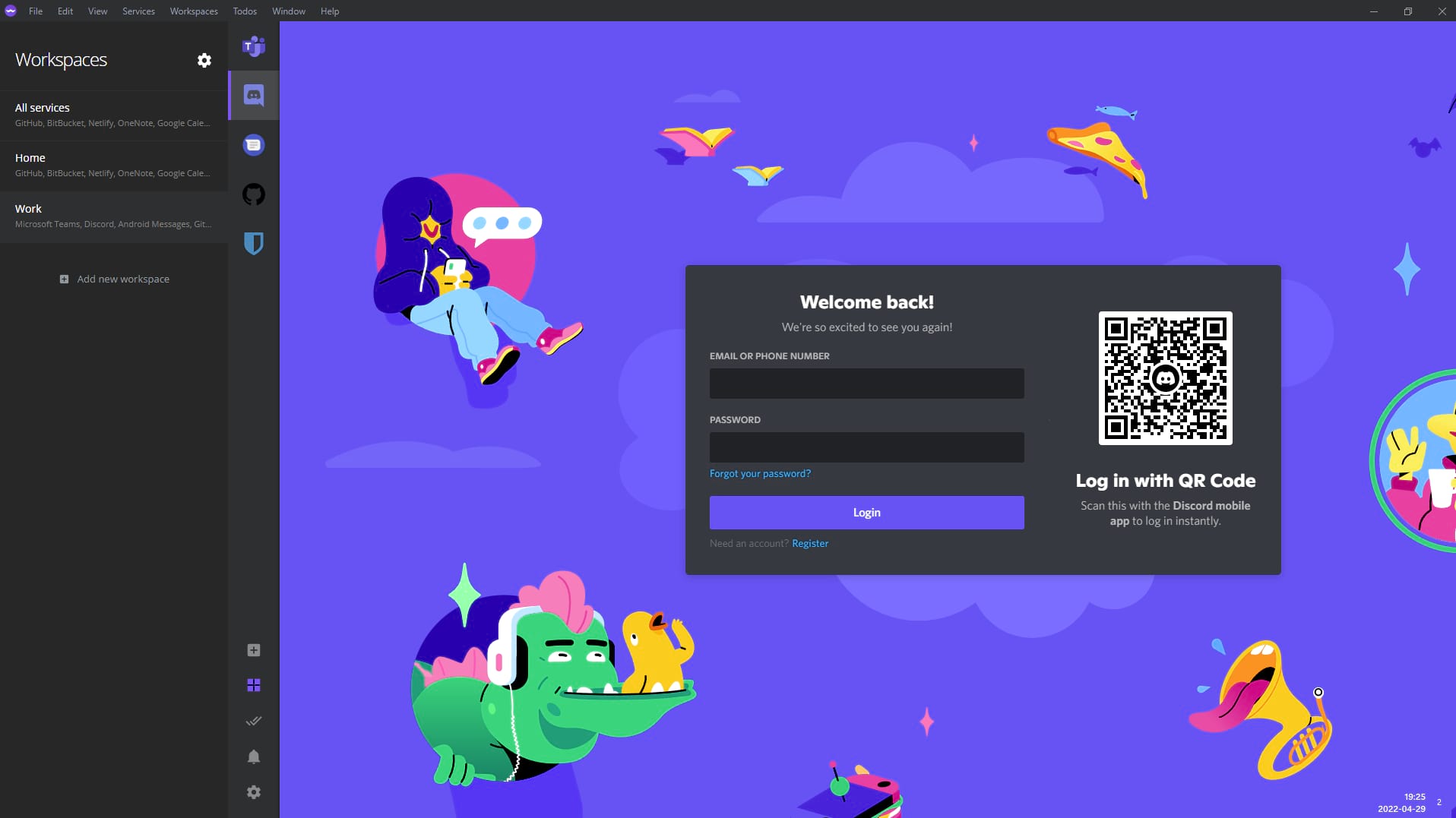
Instead of juggling dozens of browser tabs or managing separate applications, Ferdium provides a dedicated sidebar where every service is available with a single click. No more searching through bookmarks or trying to remember which tab is playing audio—everything is organized and accessible.
The Power of Multi-Account Access
For professionals, freelancers, or anyone managing different roles, the ability to separate accounts is crucial. Ferdium doesn’t just let you load Slack; it lets you load multiple instances of Slack, Gmail, or any other service.
- Need to access your personal WhatsApp and your work-only WhatsApp Business account simultaneously? Ferdium handles it.
- Managing two different client-side Trello boards, each requiring a separate login? Easy.
This feature is a game-changer for maintaining professional separation without sacrificing convenience.
🧠 Designed for Focus: Workspaces and Resource Saving
Ferdium understands that true productivity requires more than just aggregation; it requires focus.
Workspaces: Context-Switching Done Right
The Workspaces feature is arguably one of Ferdium’s most powerful tools. It allows you to create logical groupings of services. Imagine two distinct workspaces:
- “Work Mode”: Contains Slack (Work), Gmail (Professional), Trello, and GitHub.
- “Personal Mode”: Contains Discord, personal email, and Facebook Messenger.
By switching between these two defined workspaces, you immediately hide all irrelevant services, drastically reducing visual clutter and mental noise. It’s a dedicated context switch that ensures when you’re on the clock, you only see what you need to see.
Intelligent Hibernation for Performance
Unlike a browser that keeps every tab running in the background, draining system memory and slowing down your machine, Ferdium is built to be a resource saver. It employs intelligent service hibernation, effectively pausing services that are currently inactive. This means your computer stays fast, even when you have a vast collection of apps loaded up.
🔒 Customization, Privacy, and Community
Ferdium is an open-source project, and this philosophy is baked into its features, offering users a level of control and transparency rarely seen in commercial applications.
Complete Customization
Can’t find a niche internal tool or a regional service in Ferdium’s extensive library? No problem. The Custom Services feature allows you to quickly and easily add any web service using its URL, making Ferdium truly future-proof and adaptable to any organizational stack. Additionally, a built-in Todo panel is available at any time, letting you manage quick tasks right next to your active services.
Prioritizing User Privacy
In an age where data privacy is paramount, Ferdium stands out:
- Anonymous Access: You can use the application entirely without creating an account. All your service data stays local, on your computer, under your control.
- Optional Cloud Sync: For those who need cross-device access, an optional Cloud Sync feature is available, but the choice is always yours.
- Notification Privacy: Ferdium includes privacy controls that allow you to receive a notification alert when a message arrives, but prevent the detailed content from being displayed, ensuring sensitive information isn’t accidentally visible on your screen.
Built by the Community
As a community-built project, Ferdium benefits from the collective efforts of developers and users dedicated to creating the best possible product. This structure ensures ongoing updates, fixes, and features that genuinely reflect the needs of its users.
💡 The Verdict: An Essential Tool for Modern Digital Life
Ferdium is more than just a multi-messenger client; it’s a digital sanctuary. It transforms a scattered, performance-heavy, distraction-filled desktop into a consolidated, focused, and resource-friendly workspace.
If you’re ready to stop losing time to tab management and reclaim the focus needed for deep work, Ferdium is the open-source solution you’ve been waiting for.
🔗 Get Started Today: https://ferdium.org/